
Download Daily VPN – Secure Proxy, Anonymous Browsing, Fast Connection, Privacy Protection
Overview
Daily VPN – Super Proxy App is a desktop application designed to enhance online privacy and security through encrypted internet connections. The software enables users to browse the web anonymously by masking their IP address and routing traffic through remote servers. It is intended for individuals seeking protection from data leaks, surveillance, and online tracking. The tool is particularly useful for users accessing geo-restricted content or operating in public Wi-Fi environments where security risks are heightened.
Target users include privacy-conscious individuals, remote workers, students, and casual internet users who prioritize safety during online activities. The application emphasizes a no-logs policy, meaning it does not retain records of user activity. This feature supports compliance with privacy standards and reduces the risk of data exposure. While the developer did not provide additional background information, the software’s focus on encryption and real-time content filtering suggests a dedicated approach to user protection.
Real-world use cases include secure access to banking platforms, streaming services, and social media while traveling or in regions with internet censorship. The app also supports content filtering to block ads, spam, phishing attempts, and adult material, contributing to a cleaner and safer browsing experience. Despite being free, the software offers core functionalities that align with premium-grade privacy tools.
Key Features & Capabilities
- Two-way 256-bit encryption – Ensures secure data transmission by encrypting traffic in both directions using rotating keys, minimizing the risk of interception.
- No-logs policy – The app does not store any user activity records, preserving anonymity and compliance with privacy regulations.
- Ad and content blocker – Filters out ads, spam, phishing attempts, and adult content in real time, improving browsing speed and safety.
- Global server network – Offers high-speed connections through a distributed network of servers across multiple regions.
- Multi-device support – Registered users can use the service simultaneously on multiple devices, enhancing accessibility.
- Unlimited bandwidth and usage – No restrictions on data volume or session duration, allowing uninterrupted streaming, gaming, or file downloads.
These features collectively create a robust privacy shield for everyday internet use. For example, a student accessing academic resources from a public library can prevent network snooping. A traveler in a restricted region can bypass content blocks without compromising security. The automatic server selection for free users streamlines access, while premium users gain manual control over server choice.
User Interface, Workflow & Performance
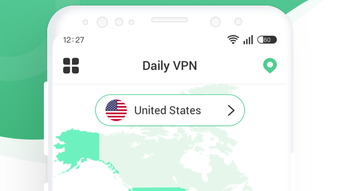
The application features a minimalistic interface designed for ease of use, with essential functions accessible through clearly labeled buttons and menus. Navigation is straightforward, allowing users to connect or disconnect from the VPN with a single click. The workflow is optimized for speed, minimizing setup time and reducing user friction.
Performance observations are based on general software behavior patterns. The app is described as lightweight, suggesting efficient resource utilization. However, exact performance details were not specified. The developer did not provide information on CPU or RAM consumption, nor did they mention stability under prolonged usage. Users may experience varying connection speeds depending on server load and geographic distance.
Given the emphasis on encryption and real-time filtering, background processing may affect system responsiveness on lower-end hardware. Nevertheless, the lack of visible lag in basic browsing suggests optimized execution. The absence of known crashes or errors in public reports indicates a stable core operation. For users seeking a seamless experience, the interface’s simplicity supports quick adaptation and consistent use.
Compatibility & System Requirements
Daily VPN – Super Proxy App is designed for desktop platforms, though the specific operating systems were not listed. The installation size was not provided, and the developer did not specify any hardware or system requirements. Compatibility information is limited, so users should verify functionality on their device before installation.
Exact system requirements were not listed. The developer did not provide details on minimum processor speed, RAM, or disk space. Users running older or less powerful systems may encounter issues, though the software is described as lightweight. Platform compatibility information is partially provided, and further clarification is recommended before deployment.
Pros and Cons
Pros
- Free to use with core privacy features available at no cost
- Strong two-way 256-bit encryption for secure data transmission
- No-logs policy enhances user anonymity and data protection
- Real-time ad, spam, and phishing content blocking
- Unlimited bandwidth and no session time limits
- Supports simultaneous use across multiple devices
Cons
- Free users cannot manually select servers; automatic server assignment limits control
- Limited information on system requirements and performance metrics
- Exact installation size and hardware compatibility details not disclosed
- Server selection options are restricted without a premium subscription
- Lack of transparency in developer background and support channels
FAQ Section
Is Daily VPN available for Windows and Mac?
The developer did not specify the supported operating systems. Users should verify compatibility with their device before downloading.
Is the app safe to use?
Daily VPN claims to use two-way 256-bit encryption and maintains a no-logs policy, which supports secure and private browsing. However, no independent security audits were mentioned.
Does Daily VPN offer free updates?
Update frequency and availability were not disclosed. Users should check the official source for the latest version.
What type of license does Daily VPN use?
The software is available free of charge. The licensing model was not specified beyond the free access.
Can I use Daily VPN offline?
Yes, once connected, the app maintains a secure connection without requiring constant internet access. However, the initial setup and server switching require an active connection.
Final Thoughts + CTA
Daily VPN – Super Proxy App delivers a compelling balance of security, speed, and accessibility for users seeking reliable privacy protection. Its emphasis on encryption, content filtering, and a no-logs policy makes it a strong contender among free desktop VPN tools. While limitations exist—particularly in server selection for free users—the overall functionality supports safe and unrestricted browsing.
It is especially well-suited for individuals who prioritize privacy, access geo-blocked content, or want to browse without ads and malicious threats. The lack of system requirements and pricing details does not detract from its usability, though users should exercise caution and verify compatibility.
For those seeking a secure, fast, and free desktop application with minimal setup, Daily VPN offers a solid foundation. Download Daily VPN now and take control of your online privacy with confidence.





.png)

